< // HOME
DEV_LOG::DISORDER
Unity / C# 3D Puzzle Prototype

DISORDER

Freeze the rain. Find the perspective. Reveal the order.

ENGINE Unity / C#
FOCUS Technical & Level Design
PLATFORM PC / Windows
SCOPE 3 Puzzles + Combat Study
Download Design Document (PDF)

OVERVIEW

Disorder is a third-person puzzle prototype set in an anomalous school. Time stop turns falling rain into a field of clues: from the right viewpoint, scattered droplets form doors, platforms and hidden signals. The same ability develops from a moment of discovery into traversal, observation and a combat experiment.

GAMEPLAY DEMO

CORE MECHANICS

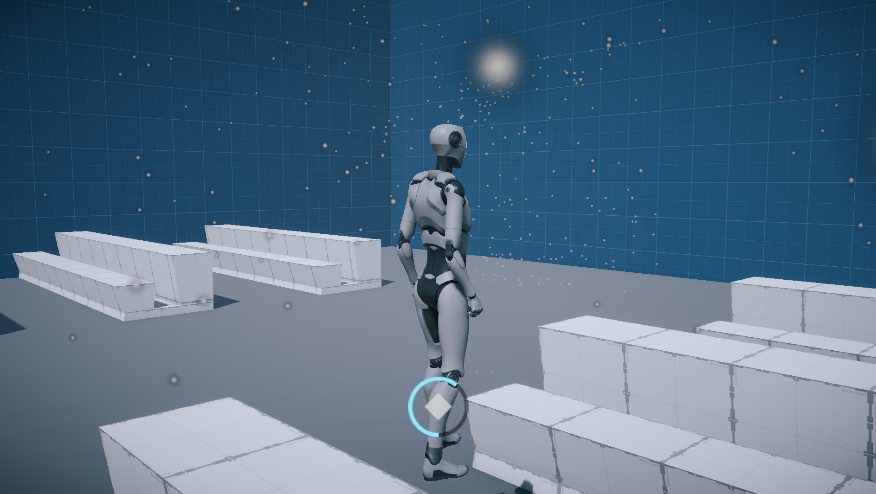
Disorder perspective puzzle, scattered droplets
Off-angle: the frozen droplets remain scattered.
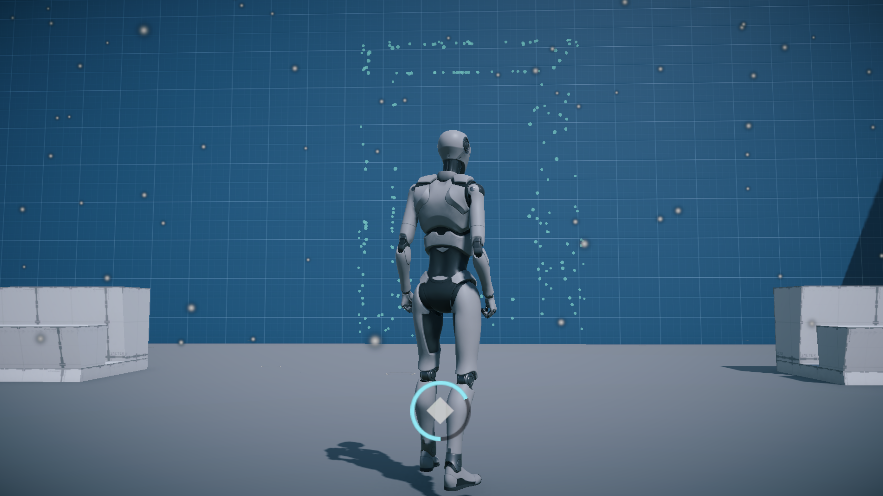
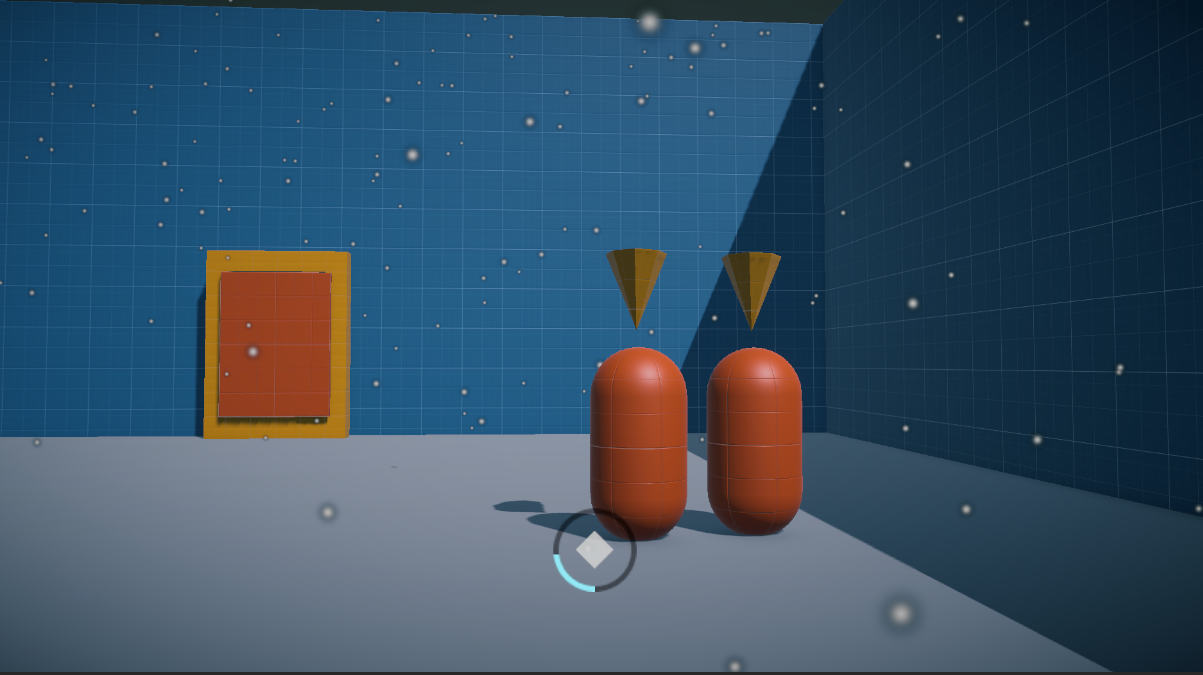
Disorder perspective puzzle, aligned doorway
Aligned: the same droplets reveal a doorway.

Players pause the world, move to inspect the suspended rain, and use a cyan highlight to judge alignment. A camera snap completes the reveal once the view is close enough. First- and third-person views support both precise observation and spatial navigation.

WASD · Move E · Time stop Tab · Change view Space · Jump F · Interact

LEVEL PROGRESSION

Discover a door in the rain

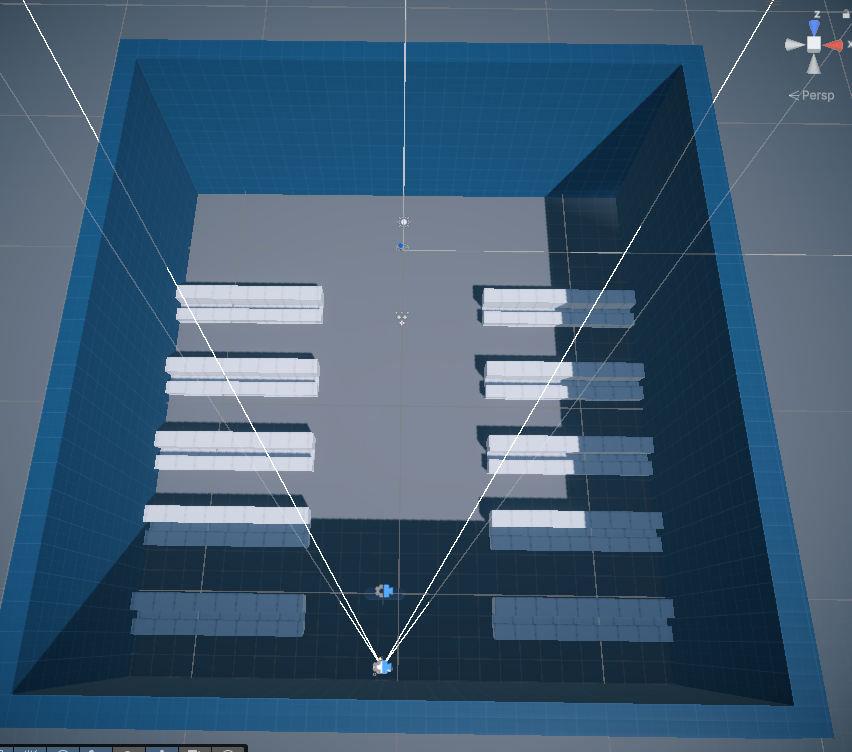
A sealed classroom introduces the mechanic with minimal distractions. Desk rows guide movement toward an observation area; particle feedback helps the player discover the hidden doorway without a marked solution point.

Disorder level 1 prototype screenshot

Prototype scope: three implemented puzzle levels and one combat experiment. A rooftop finale remains a paper design.

TECHNICAL DESIGN

Selective time stop

Objects register with TimeStopManager through ITimeStop. Each object handles its own pause and resume behavior, allowing rain, platforms and NPCs to react differently while the player stays active. Duration and cooldown are configurable.

Perspective reconstruction

Sample the boundary of a target mesh, then scatter points at random distances along rays from the intended viewpoint. From that viewpoint the points project back onto the original outline. The droplets are drawn with Graphics.RenderMeshInstanced.

Alignment as feedback

A score combines distance to the intended viewpoint with camera angle. Smoothed color feedback guides correction; crossing the threshold triggers a camera snap and reveals the solid object. Tolerances are exposed for tuning.

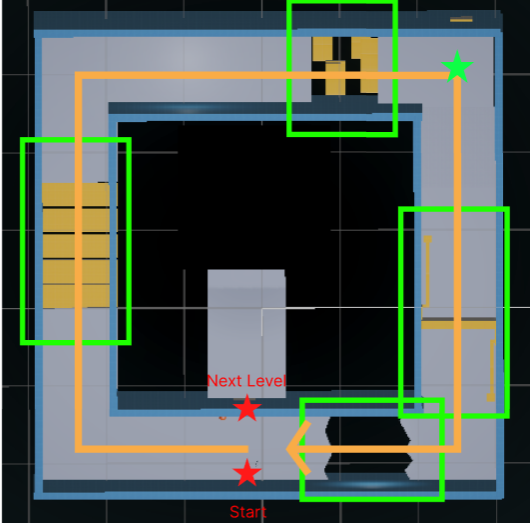
A corridor that feels endless

The clock serves as clue, progress indicator and a focus point for camera transitions. Reusing the corridor during these transitions supports the spatial illusion without requiring a separate corridor for every round.